Command Filter
Tip
The Command Filter page is used to configure command interception rules, supporting flexible configuration for individual commands and command templates.
When users execute high-risk or sensitive commands in the terminal, the system can automatically block execution according to the configured rules, effectively preventing misoperations and risky behaviors.
Command Management
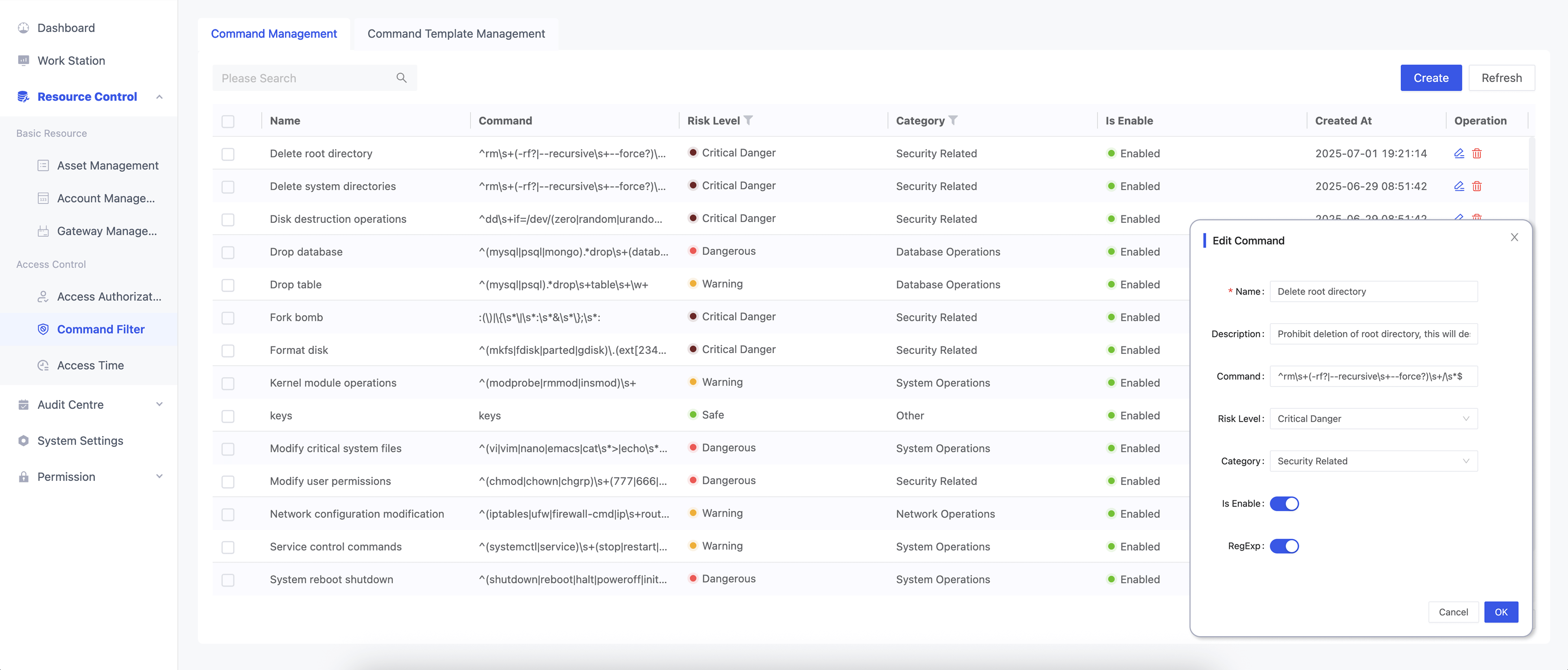
Command Configuration Parameters
| Parameter | Description | Required |
|---|---|---|
| Name | Name of the command configuration, for easy management and lookup | ✓ |
| Description | Brief description of the command configuration | |
| Command | The command content to be intercepted | |
| Risk Level | Set the risk level of the command for graded control | |
| Category | Category of the command, for classification management | |
| Is Enable | Whether to activate the current command filter rule | |
| Regex | Whether to match the command using regular expressions |
Command Template Management
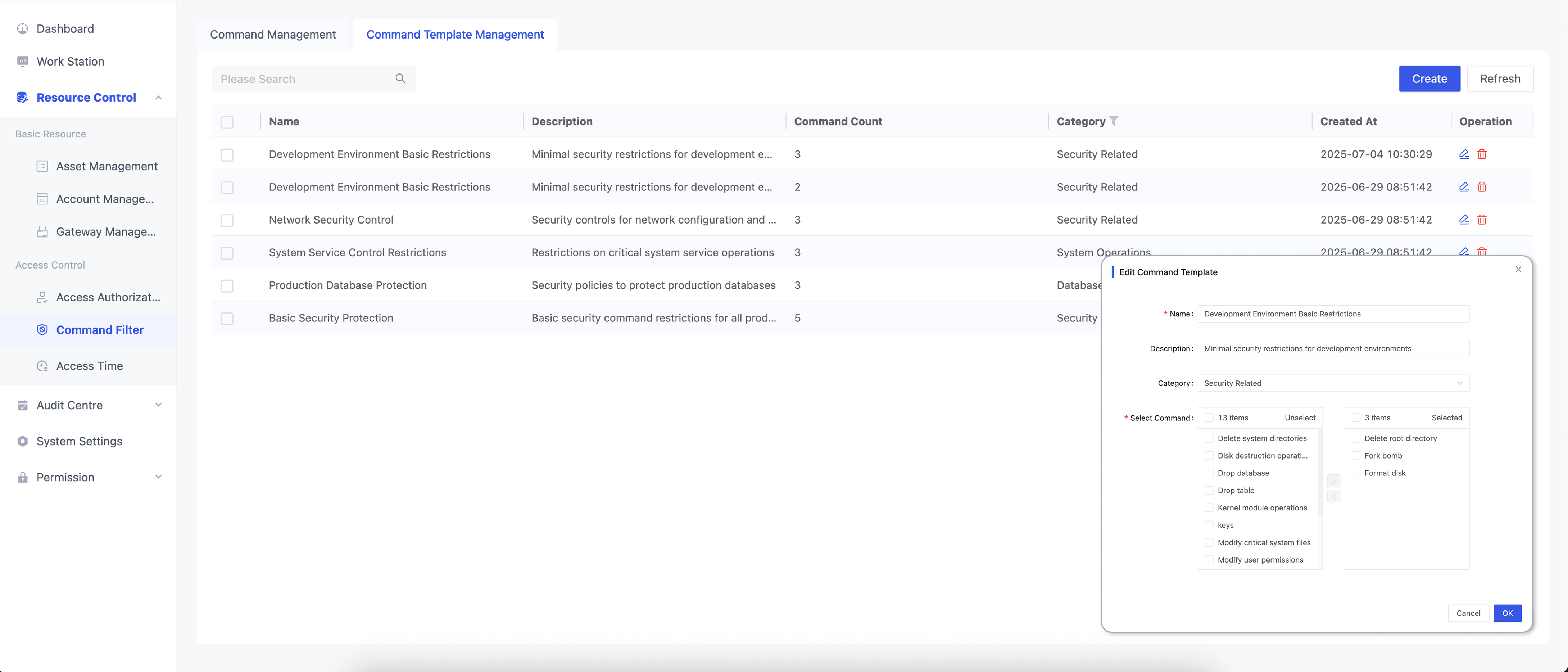
Command Template Parameters
| Parameter | Description | Required |
|---|---|---|
| Name | Template name, for easy management and lookup | ✓ |
| Description | Brief description of the template | |
| Category | Category of the template, for classification management | |
| Select Command | Select configured commands to apply interception rules in batch | ✓ |